Your WhatsApp,now inside Claude.

Connect your iZap account to Claude (and ChatGPT) through MCP and run your WhatsApp in plain language: send messages, view stats, search conversations and tune your AI assistant. No code, in just minutes.
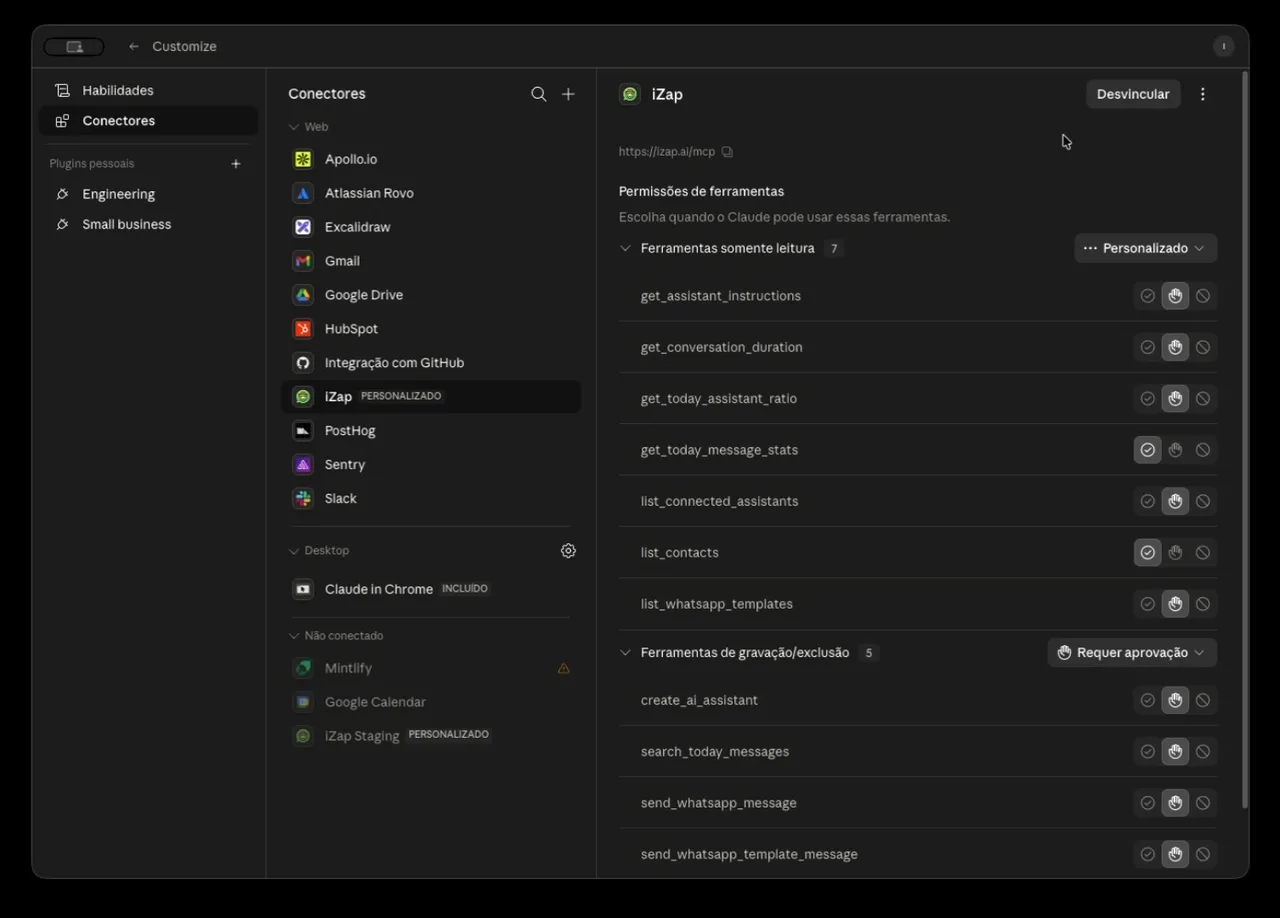
List of iZap tools available inside Claude
12
AI tools
3 min
To connect
2
Claude and ChatGPT
$0
Included in your plan

Watch the connection happen

Four steps, real screens. This is how your WhatsApp shows up inside Claude.
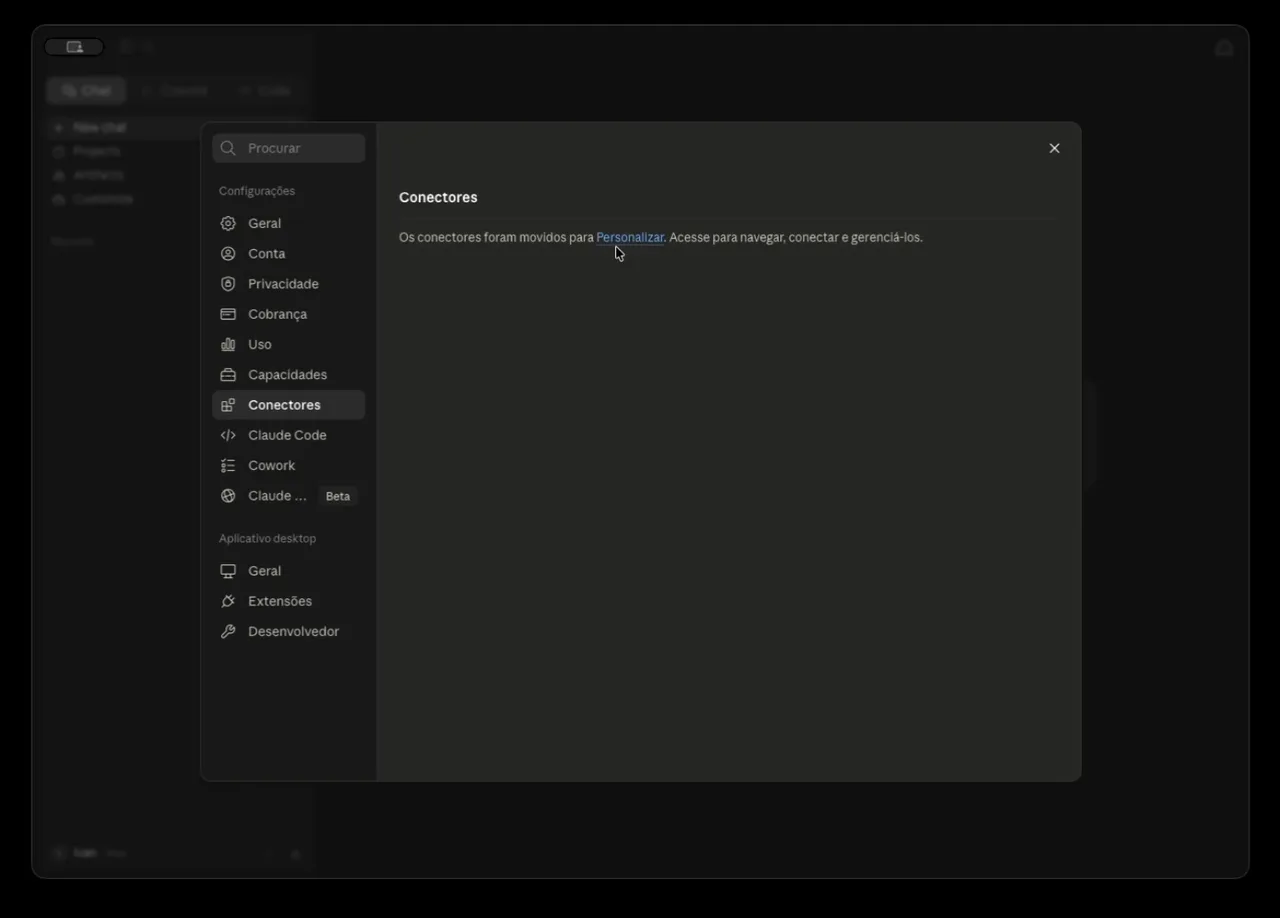
Claude connectors screen
1Step 1

Open Connectors

In Claude, go to Settings → Connectors and click "Add custom connector".
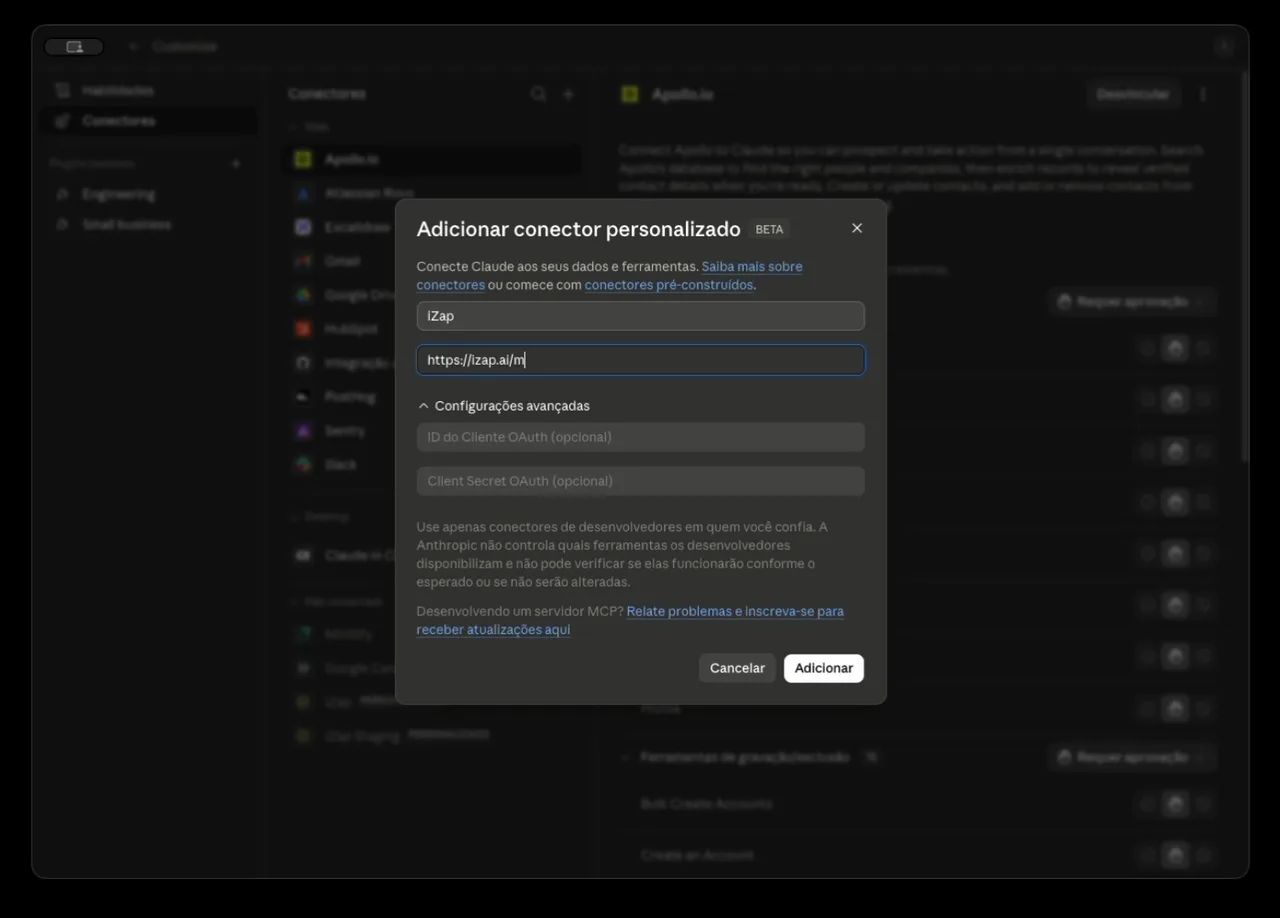
Add custom connector modal with iZap MCP URL
2Step 2

Add iZap

Name it iZap and paste iZap's MCP server address into the URL field.
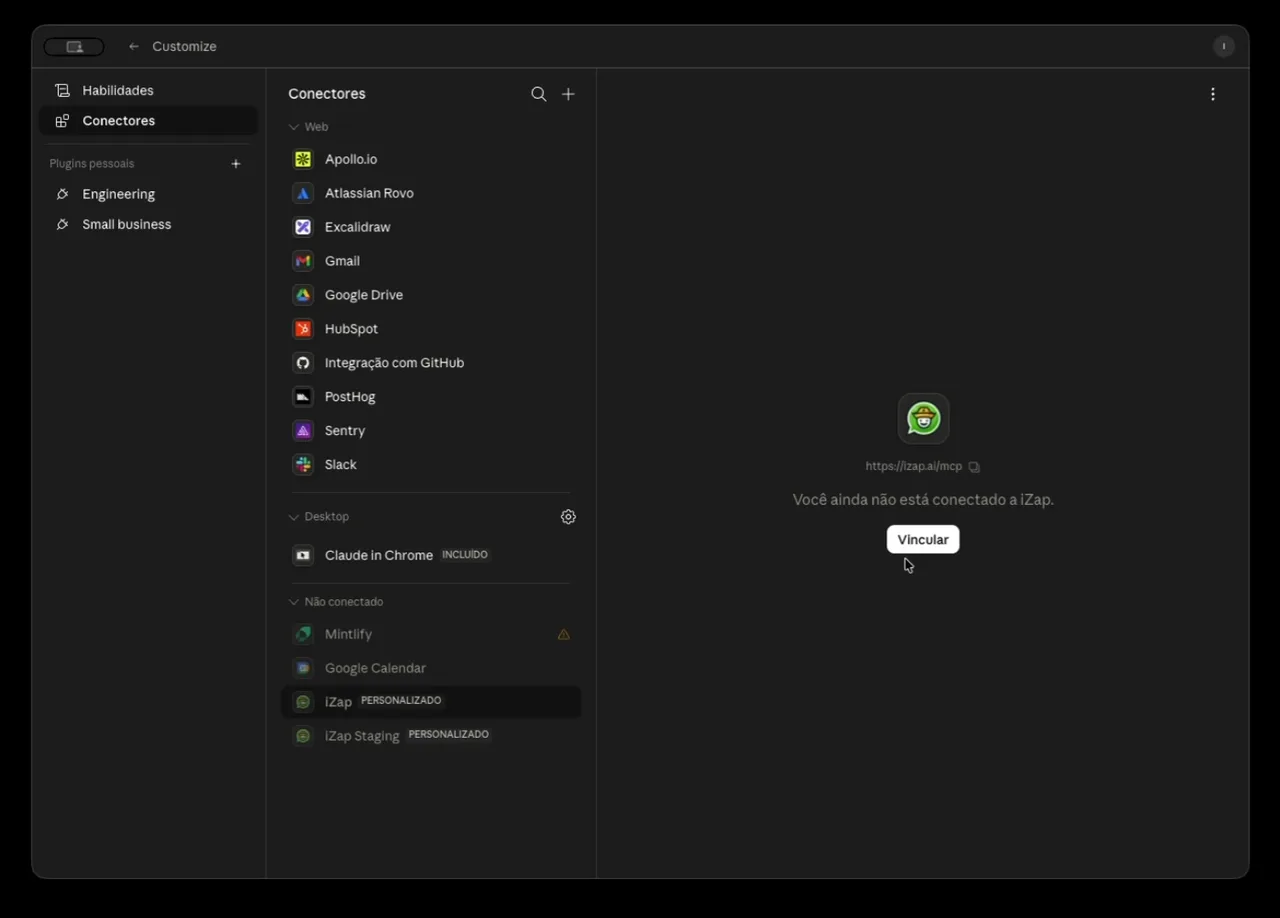
iZap connector connection status before linking
3Step 3

Link your account

Click Connect and sign in with your iZap account. Authorization happens automatically.

List of iZap tools available inside Claude
4Step 4

Done: 12 tools unlocked

Claude can now reach your WhatsApp — send messages, view stats, manage contacts and more.

What you can ask for

Once connected, just chat. A few examples of what Claude and ChatGPT can do with your WhatsApp:

Send messages

Ask it to send a WhatsApp message to any of your contacts — right from the AI chat.

Today's stats

See conversations, messages and people served today, plus the AI-to-human ratio.

Search conversations

Find today's messages by keyword without leaving the chat.

Create and tune your assistant

Build an AI agent or refine its instructions in plain language.

Contacts and templates

List your contacts and your Meta-approved message templates.

Send WhatsApp templates

Fire approved templates with variables filled in by the AI.

Connect it yourself

Use the same address in Claude or ChatGPT. When you add the connector, sign in with your iZap account and authorize access.

MCP server address

https://api.izap.ai/mcp
Claude
  1. 1Open claude.ai (or the Claude app) and go to Settings → Connectors.
  2. 2Click "Add custom connector" and paste the MCP server address.
  3. 3Click Connect and sign in with your iZap account when prompted.
  4. 4Done! Ask something like "list my connected assistants" to test.

In Claude Code, use:

claude mcp add --transport http izap https://api.izap.ai/mcp
ChatGPT
  1. 1Open ChatGPT and go to Settings → Connectors.
  2. 2Under Advanced settings, enable Developer mode.
  3. 3Click "Create" and add iZap's MCP server address.
  4. 4Authorize with your iZap account and start using it.

Developer mode is required for custom MCP connectors in ChatGPT.

Frequently asked questions

Don't have an iZap account yet?

Create your AI assistant on WhatsApp and connect it to Claude and ChatGPT. The integration is included in every plan.

See Plans