Your WhatsApp,now inside ChatGPT.

Connect your iZap account to ChatGPT (and Claude) through MCP and run your WhatsApp in plain language: send messages, view stats, search conversations and tune your AI assistant. No code, in just minutes.
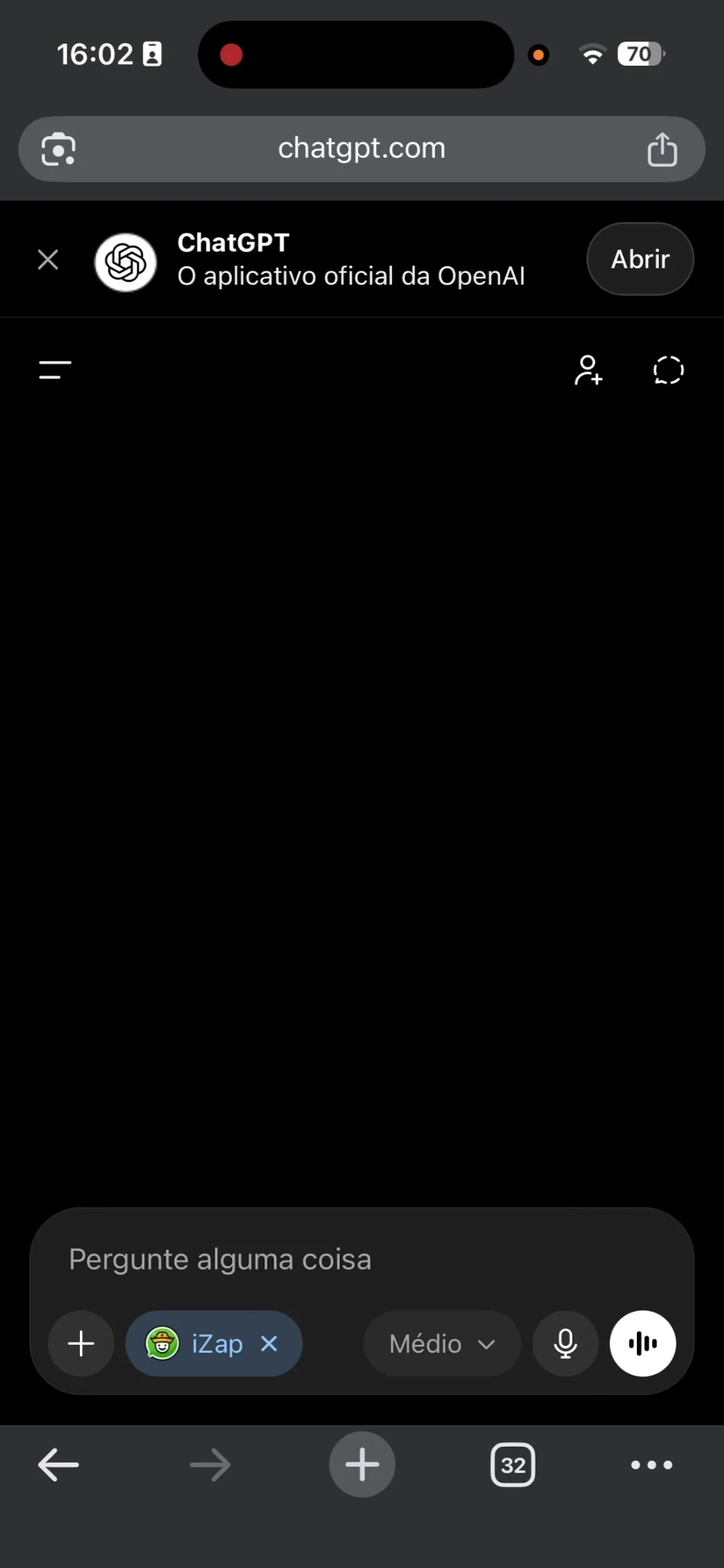
ChatGPT with the iZap connector active in the prompt bar
12
AI tools
3 min
To connect
2
Claude and ChatGPT
$0
Included in your plan

How to install iZap in ChatGPT

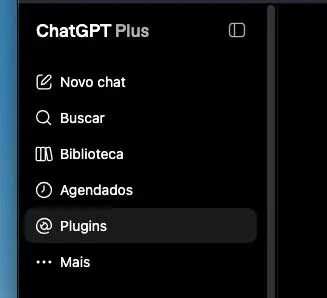
ChatGPT sidebar with the Plugins option selected
1Step 1

Open Plugins

Go to the ChatGPT sidebar and click "Plugins".
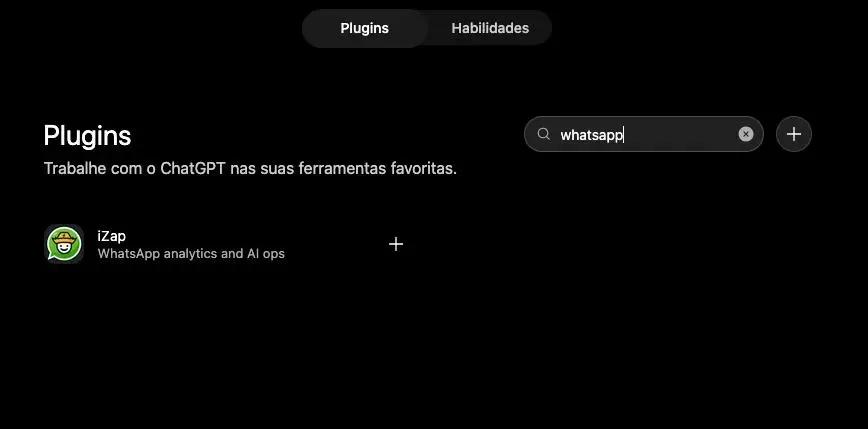
Plugin store search for whatsapp showing the iZap app
2Step 2

Find iZap

Search for "whatsapp" in the plugin store and click the "+" button on the "iZap" app.
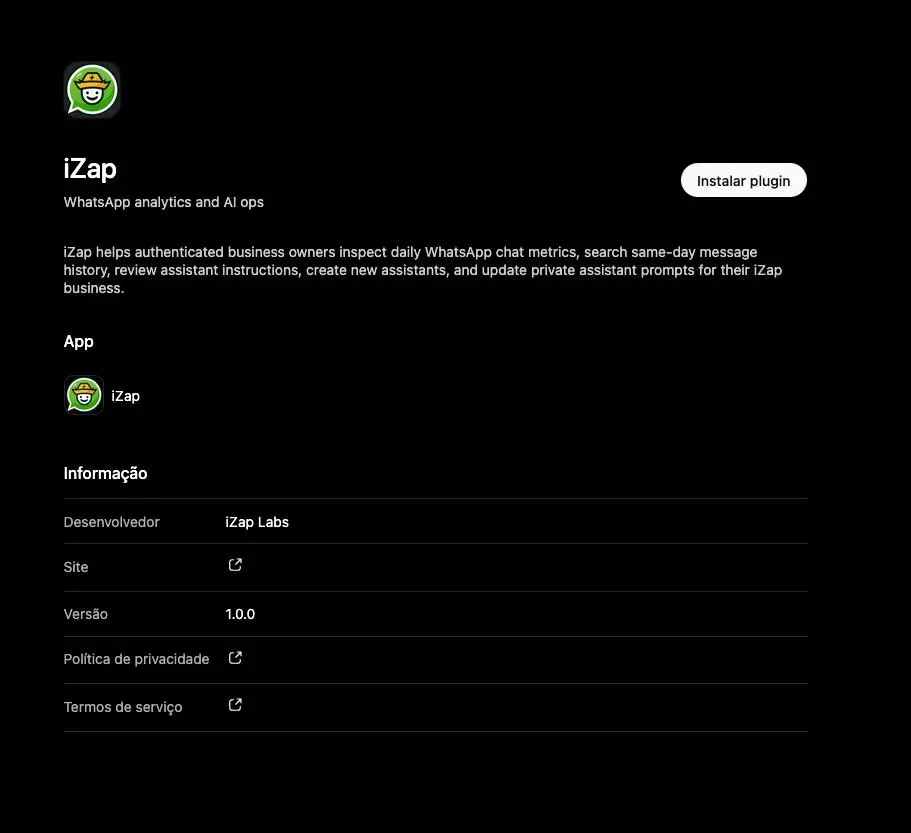
iZap details page with the Install plugin button
3Step 3

Install the plugin

Read the details and click the "Install plugin" button.

What you can ask for

Once connected, just chat. A few examples of what ChatGPT and Claude can do with your WhatsApp:

Send messages

Ask it to send a WhatsApp message to any of your contacts — right from the AI chat.

Today's stats

See conversations, messages and people served today, plus the AI-to-human ratio.

Search conversations

Find today's messages by keyword without leaving the chat.

Create and tune your assistant

Build an AI agent or refine its instructions in plain language.

Contacts and templates

List your contacts and your Meta-approved message templates.

Send WhatsApp templates

Fire approved templates with variables filled in by the AI.

Connect it yourself

In ChatGPT, install the iZap plugin straight from the store. In Claude, use the MCP server address below. Either way, sign in with your iZap account and authorize access.

MCP server address

https://api.izap.ai/mcp

Using Cursor?

Add to Cursor
ChatGPT
  1. 1Open the ChatGPT sidebar and click "Plugins".
  2. 2Search for "whatsapp" and click the "+" button on the "iZap" app.
  3. 3Read the details and click "Install plugin".
  4. 4Sign in with your iZap account and authorize access.

iZap is a published plugin in the ChatGPT store: there's no need to turn on Developer mode or create a custom connector.

Claude
  1. 1Open claude.ai (or the Claude app) and go to Settings → Connectors.
  2. 2Click "Add custom connector" and paste the MCP server address.
  3. 3Click Connect and sign in with your iZap account when prompted.
  4. 4Done! Ask something like "list my connected assistants" to test.

In Claude Code, use:

claude mcp add --transport http izap https://api.izap.ai/mcp

Frequently asked questions

Ready to get started?

Install iZap today and run your WhatsApp Business straight from ChatGPT. It takes less than a minute — and your team's productivity will thank you.

See Plans